Game Types Setup
For H2N4
Installation instructions:
- Update H2N4.1 to the latest version (if you're using H2N4.1.126 or earlier, installing game types may cause the entire program to malfunction)
- From the list below, choose the game type you need and download the file
- Close H2N
- Replace the file in the folder
Hand2Note 4.1/Config - Open H2N, go to Settings > Game Types and make sure the new settings have been applied
- If the settings look correct, rebuild the stats to apply the changes
- The file must be named GameTypeConfig.h2nconfig, not GameTypeConfig (2).h2nconfig or similar
For play (SH and FR separately)
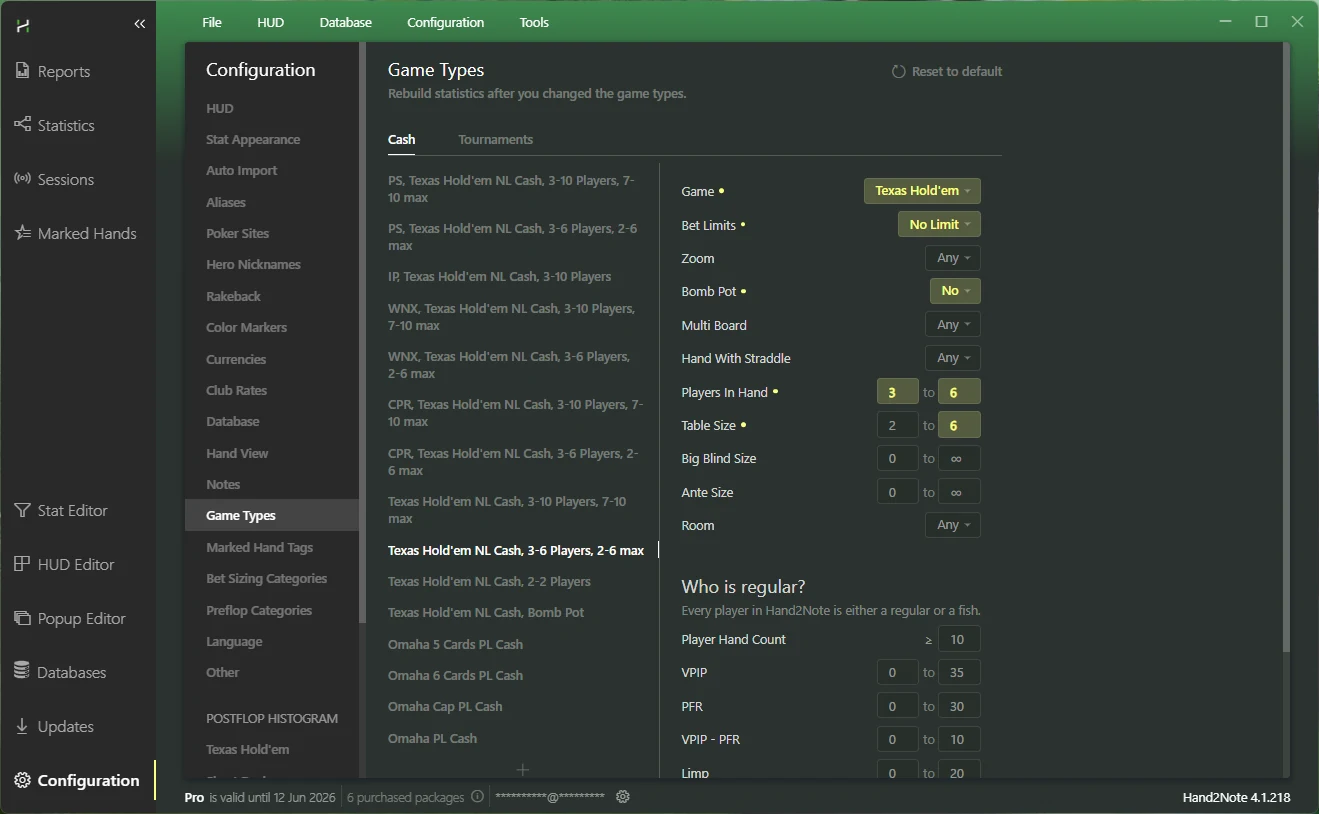
Games are divided between 6-max and 9-max tables (you can select different HUDs).
Rooms where only the static HUD is allowed are listed separately, so you can still choose a dynamic HUD for the others.
Game types for HU and Bomb Pot — to select dedicated HUDs.
Game types for Omaha.
Standard Who is regular settings for all game types except HU and Bomb Pot.
Download:
1drv.mshttps://1drv.ms/f/c/4cf4261d547d62e2/EhsEYpmLYadLj-ZqqbSOPUABl_BkpNNLSFor play (SH and FR combined)
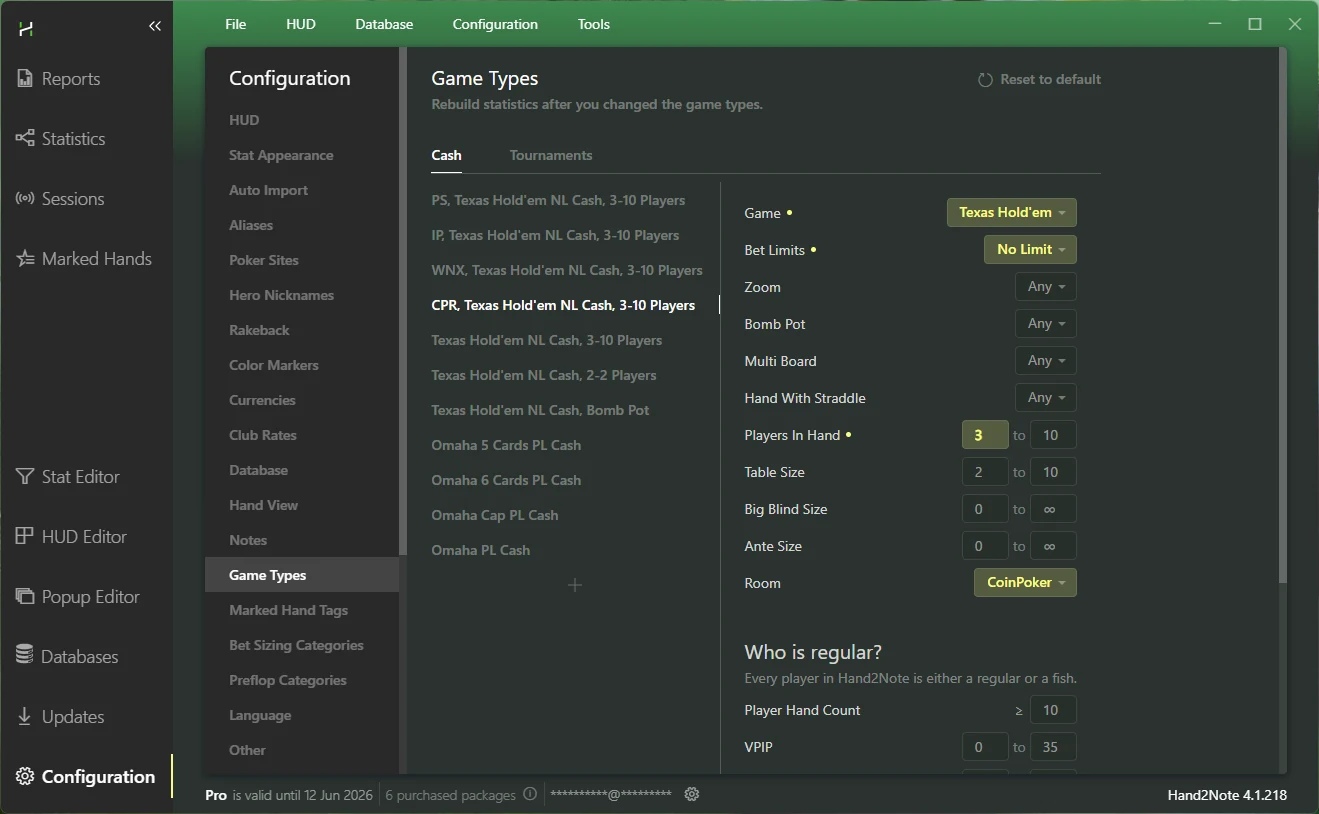
For 6-max and 9-max tables, statistics are merged, and the same HUDs will be used on both formats.
Rooms where only the static HUD is allowed are listed separately, so you can still choose a dynamic HUD for the others.
Game types for HU and Bomb Pot — to select dedicated HUDs.
Game types for Omaha.
Standard Who is regular settings for all game types except HU and Bomb Pot.
Download:
1drv.mshttps://1drv.ms/f/c/4cf4261d547d62e2/EnLDT8WEJVRHm0g_gxBmdxsB-lUOcHAeYFor Range Research or Database Review
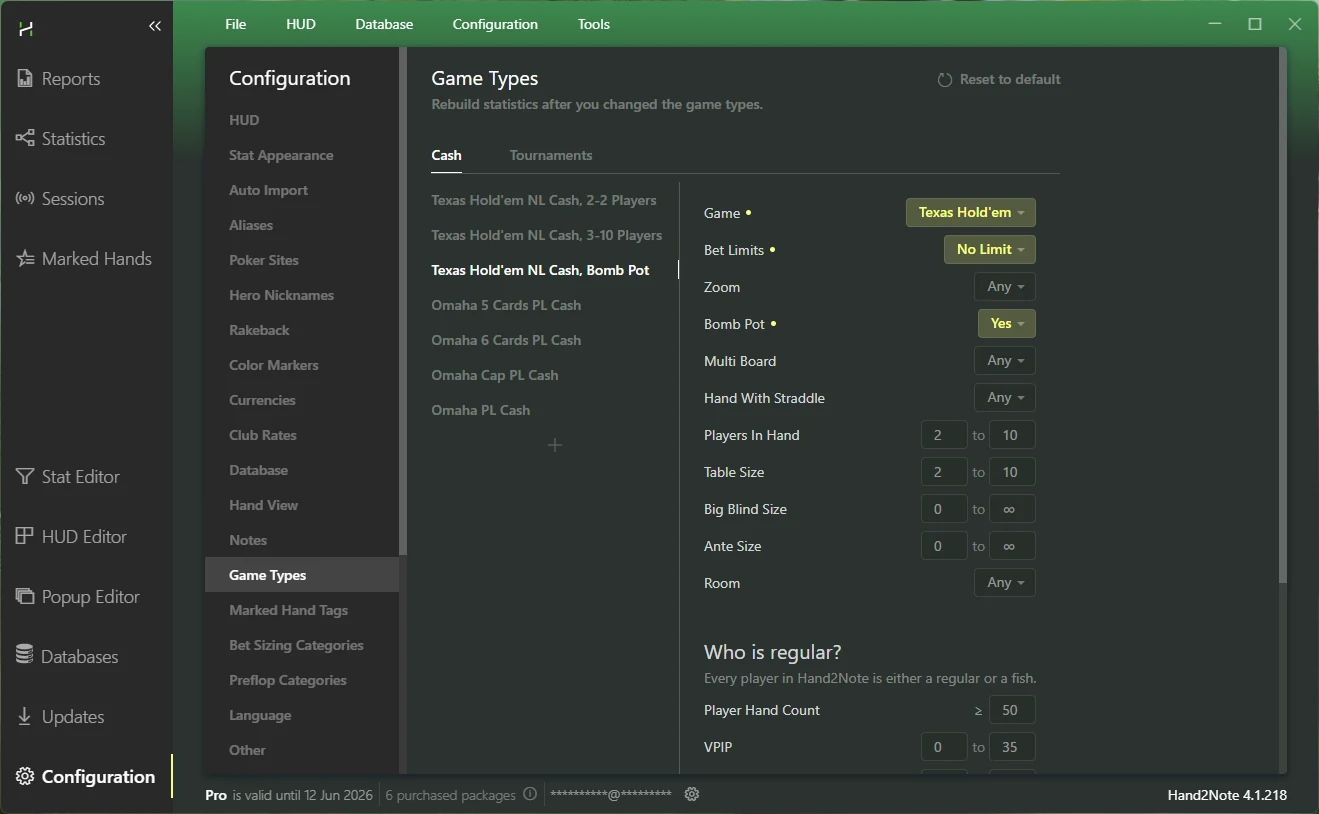
No separation by rooms, which allows you to analyze aliases from different rooms together.
Games with a straddle or big ante are listed separately, so you can focus only on the standard preflop spots.
Standard Who is regular settings apply for all game types except HU and Bomb Pot.
Download:
1drv.mshttps://1drv.ms/f/c/4cf4261d547d62e2/Etx1m3zr6ihOgLnzdUNqdZUBflixAYbJT