Tips to Speed Up H2N4
This article covers practical methods to improve the program’s performance.
Fewer Chrome tabs
Running Hand2Note4 together with many Google Chrome tabs dramatically slows down your PC. Limit Chrome to 2 tabs during play, or switch to a different browser for sessions.
Reducing threads
Lower the number of threads used in the program settings.
Decrease them gradually. After each change, rebuild your stats and test the program’s performance.
If the speed is acceptable — keep the current setting.
If it still feels slow — reduce the max thread number again and rebuild the stats.
Based on our subjective testing, these configurations showed the best performance:
- 16 GB RAM – 4 threads
- 32 GB RAM – 8–16 threads
- 64 GB RAM – 32 threads / max
- 128 GB RAM – max
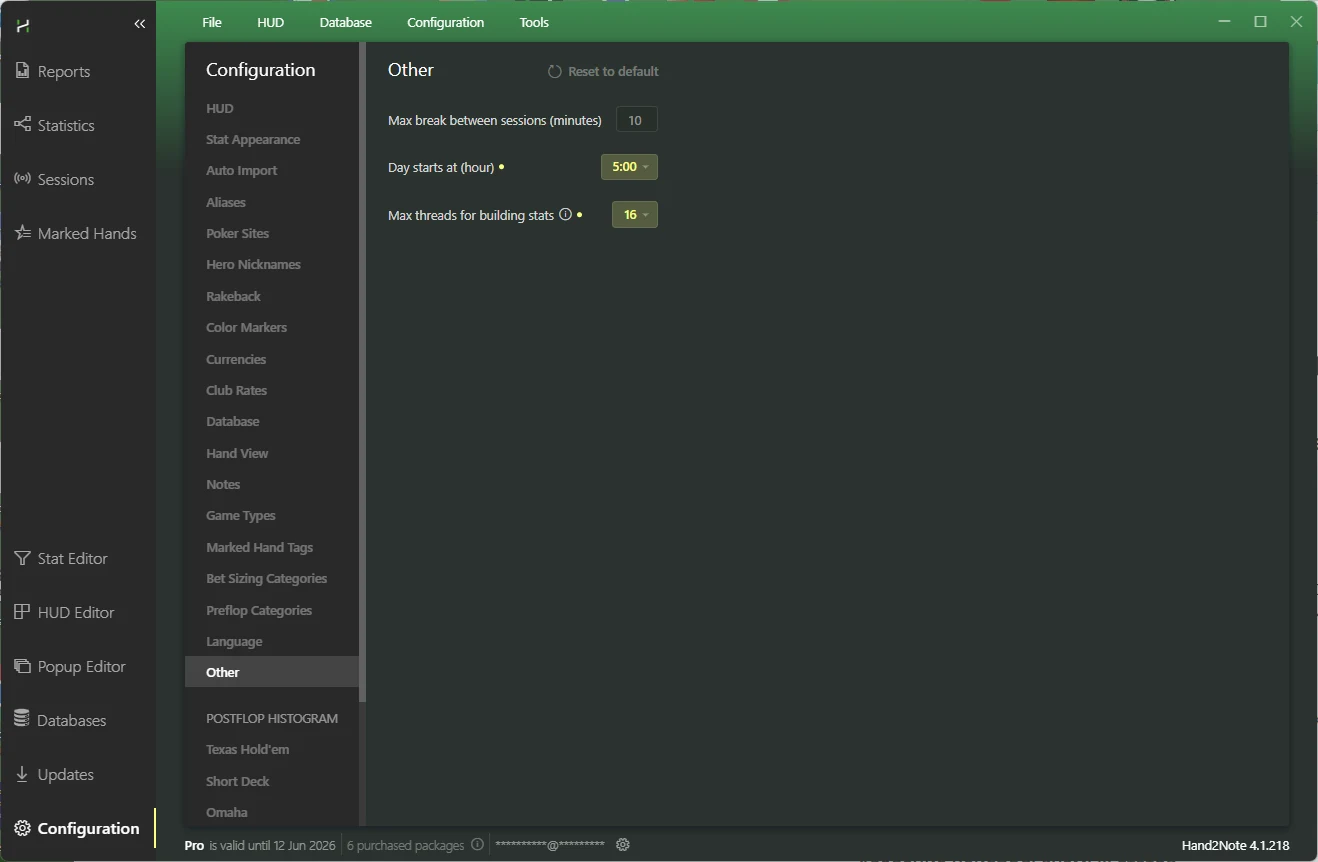
Deleting unused stats
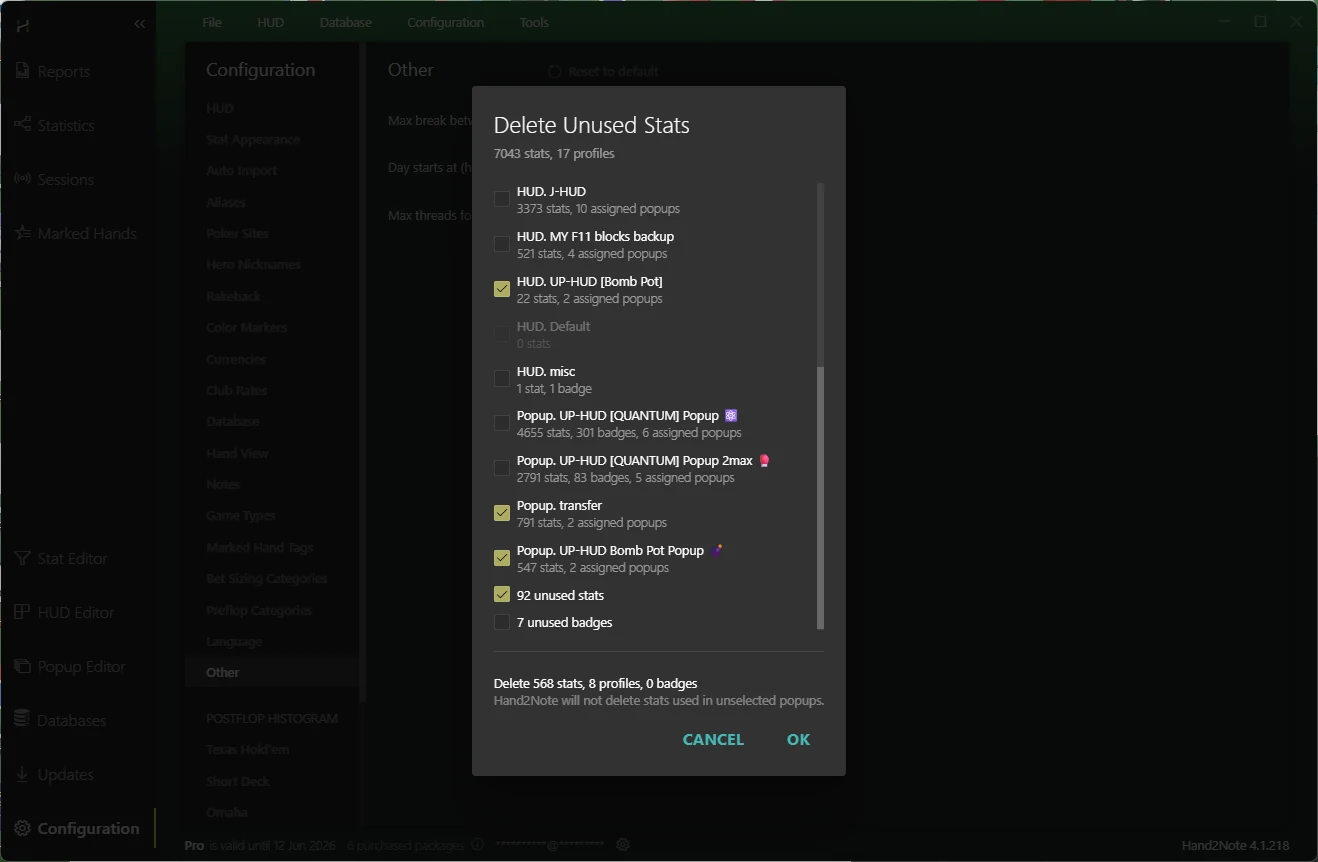
Remove unnecessary stats via Configuration > Delete Unused Stats (make sure to archive your
Config folder beforehand). After doing this, you will need to rebuild your stats.
Optimizing statistics rebuild
To minimize the database size and improve performance:
- Restart your computer before starting the rebuild.
- Launch only H2N — do not open any other programs.
- Wait until the rebuild is fully finished, avoiding any activity on your PC.
The database rebuild process works as follows: stats are calculated in RAM and only then written to the disk.
This means that if you avoid touching your computer during the rebuild, no other program will take resources away from H2N — resulting in a smaller, faster, more optimized database.
Program optimization in version 4.1.213 and newer
Starting from this version, H2N processes more data and additional side stats.
If your H2N became slower at the tables, you can try simplifying your config:
- Delete unused stats (see section above)
- When creating large aliases, make sure “IS SINGLE PERSON” is not checked
- Simplify the content of the following tabs:
- Bet Sizing Categories
- Postflop Histogram (hand categories in stat popups)
- Board Category (board categories in stat popups)
You can revert these parameters to default settings or delete them entirely if you don’t use them.
If you use UP-HUD PRO or UP-HUD Bomb Pot packages — message us and we will provide simplified board and hand types optimized for performance.
- Simplify your database (for example, rebuild it for a shorter period, or create a new one and import only the rooms you currently play)
More radical steps if previous solutions didn’t restore performance:
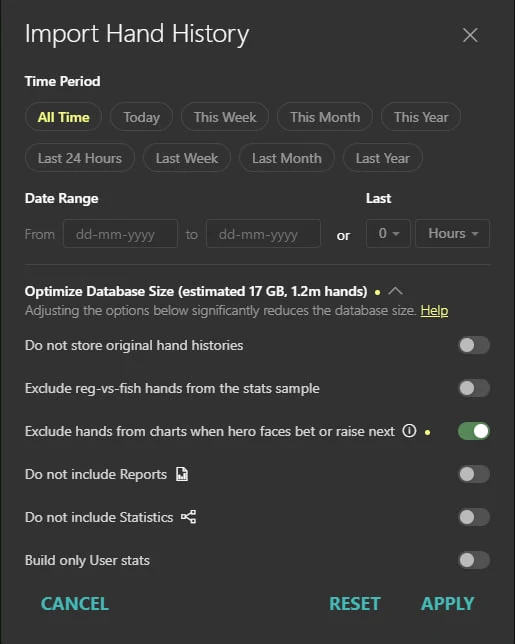
Disable the new H2N side stats by rebuilding your statistics with this checkbox turned off.
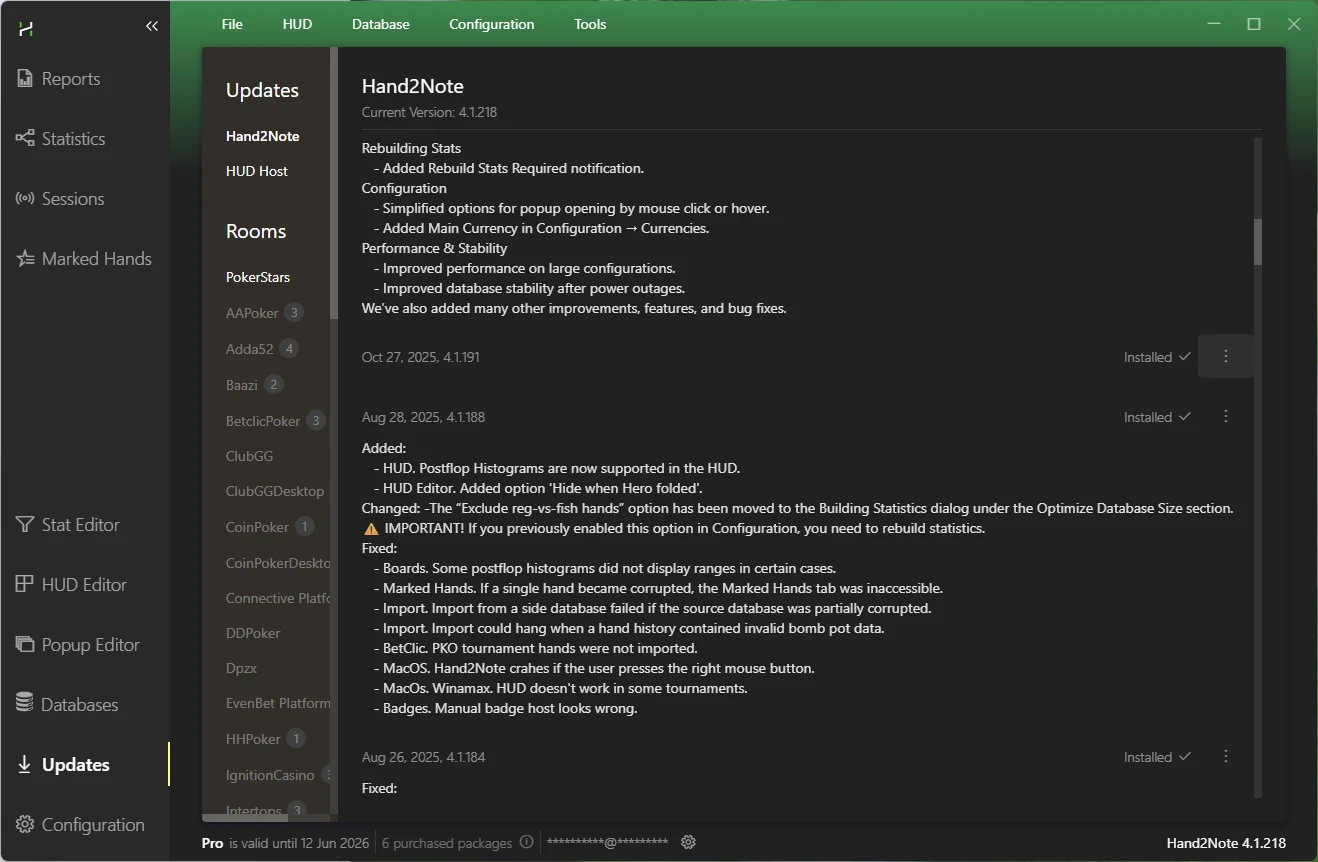
-Roll back to version 4.1.191 of the program.
Additionally, it’s not recommended to open tables in Observe mode unless you actually need them, because they consume just as many system resources as active playing tables.
H2N4 Discount ($265 for the annual subscription)
10% off your first H2N subscription:
Use the referral link (https://hand2note.com/?rid=2667) or simply enter the promo code UPHUD at checkout.
10% off renewals (non-first subscriptions) for H2N4.1:
Through us, you can renew your H2N4 subscription with an official –10% discount.
The discount applies to all promotions and subscription types, including Black Friday.
If you're interested or want to clarify any details, feel free to message us.