Installation & Update Guide
Package Installation
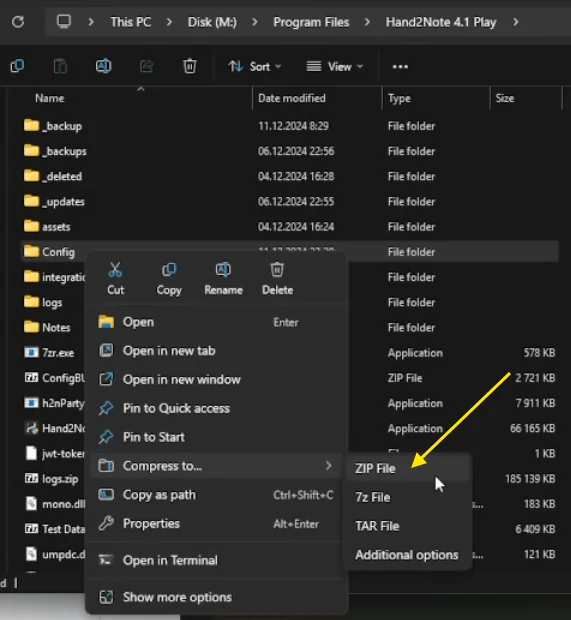
- Make sure to back up your settings. Archive the
Configfolder (by default located atC:\Program Files\Hand2Note4.1\Config) and save it in a safe place. This will help you restore your settings later if needed.
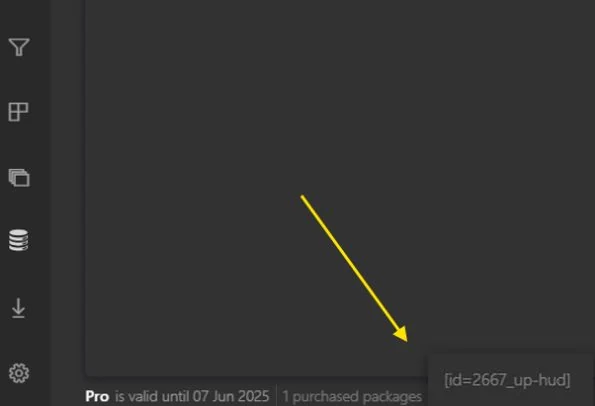
- Verify that the HUD is bound to your account. At the bottom left of the Hand2Note window, find the line called "purchased packages", hover over it, and make sure that UP-HUD is listed there.
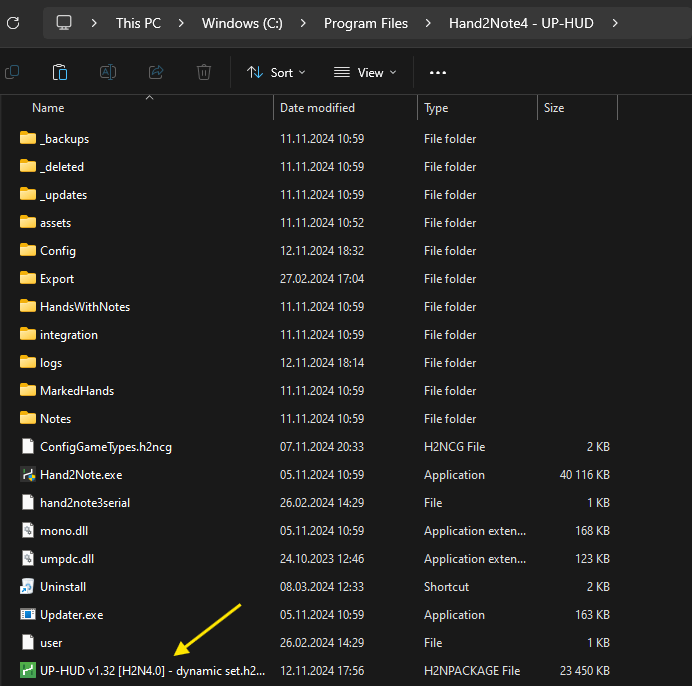
- Add the package file to the root Hand2Note4 directory (default path: C:\Program Files\Hand2Note4)
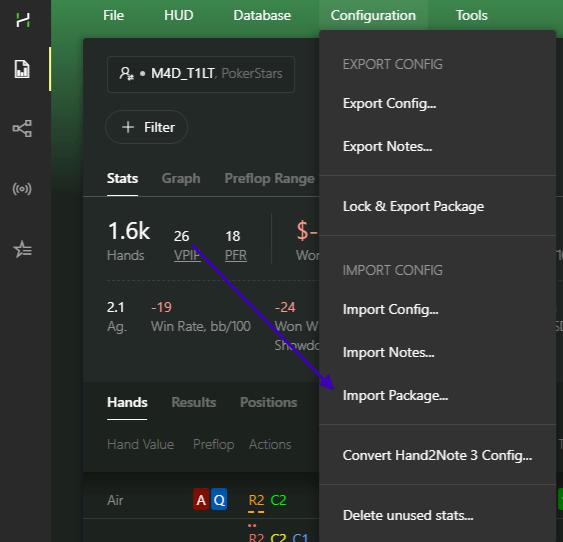
- Restart Hand2Note. Then import the HUD via the top menu: Configuration > Import Package…
- Find the file with your package in the root directory. Once the import is complete, the program will prompt you to restart. Click Restart Hand2Note.
- Set up your preferred Game Types: Configuration > Game Types
a. If you're unsure how to configure game types, check out our guide: https://www.uphud.pro/game-types-en
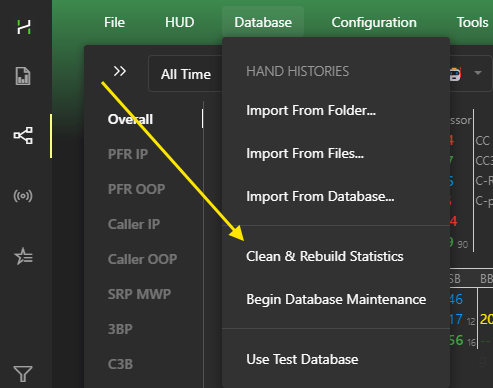
- Finally, rebuild your stats: Database > Clean & Rebuild Statistics
For any issues with Hand2Note, you can contact support via the official site:
or on Discord:
H2N4 Setup Tips
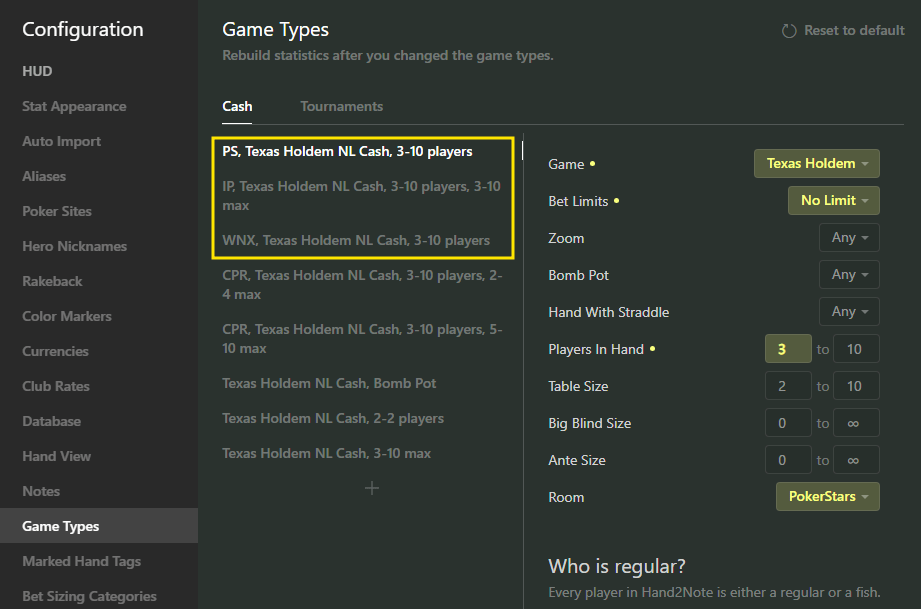
This is an example of a Game Types setup that allows you to use dynamic HUD in rooms where it's allowed, and static HUD in all others. You can delete rows with rooms you don’t play in.
If you use only a static HUD across all rooms, we recommend deleting all rows inside the yellow box as well.
Our ready-to-use Game Type presets: https://www.uphud.pro/knowledge-base-en
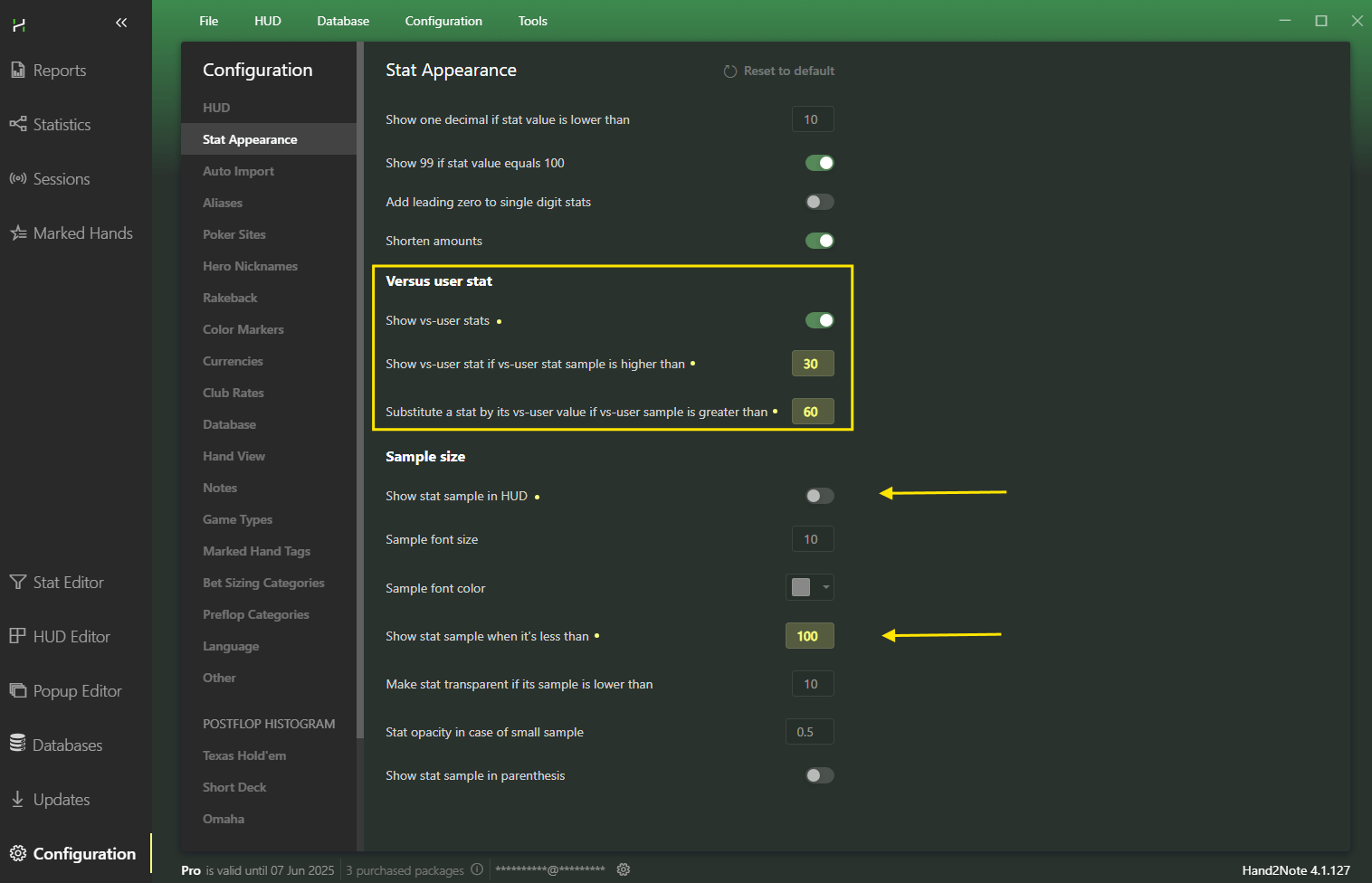
Recommended values for vs-Hero stats are 30 and 60, but feel free to adjust them to your liking.
If you don't want these stats to appear, disabling the Show vs-user stats checkbox won't help (this is a known H2N bug). We recommend setting both values to 1000000.
Don't forget to disable "Show stat sample in HUD" to avoid cluttering your HUD with unnecessary info.
Recommended value for stat sample in popups – 100.
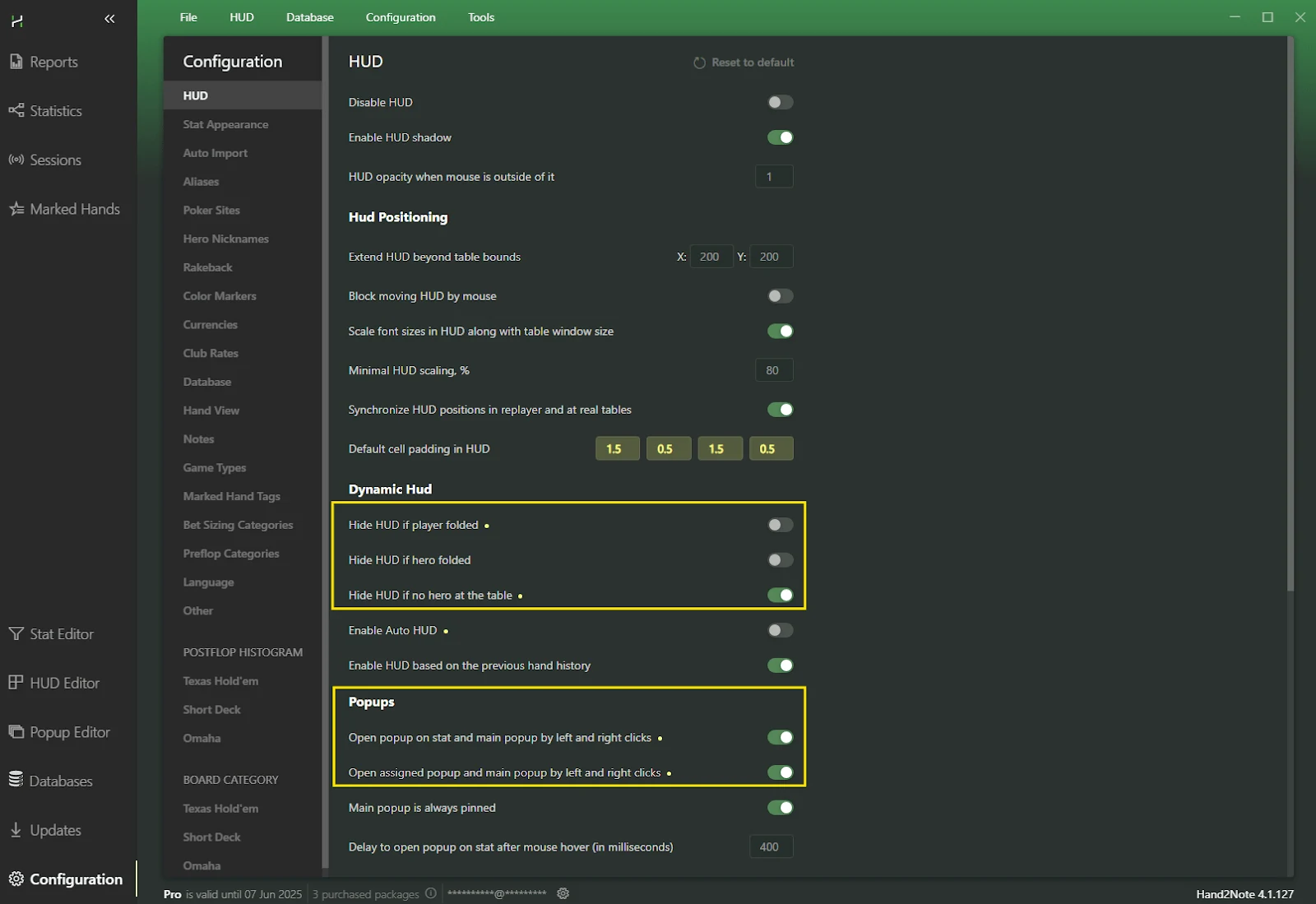
Try different combinations of these checkboxes and choose the one that works best for you.
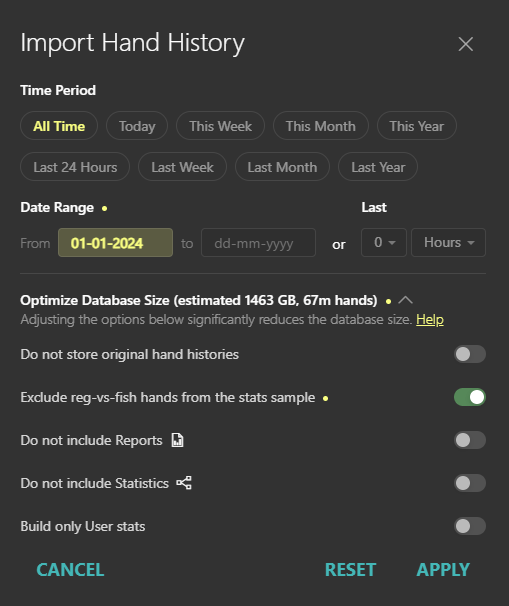
When creating a new database, it is recommended to check the box ‘Exclude reg-vs-fish hands from the stats sample’.
The option ‘Do not store original hand histories’ can reduce the database size and improve its performance. However, please note that if you are copying hand histories and pasting them into third-party services such as GTO Wizard, you should leave this box unchecked, as shown in the screenshot.
Tips to improve program performance
- To speed up H2N, reduce the number of threads used. Recommended value for 32GB RAM: 4 (if you use Google Chrome during play), and 8 (if you don’t use Chrome during play).
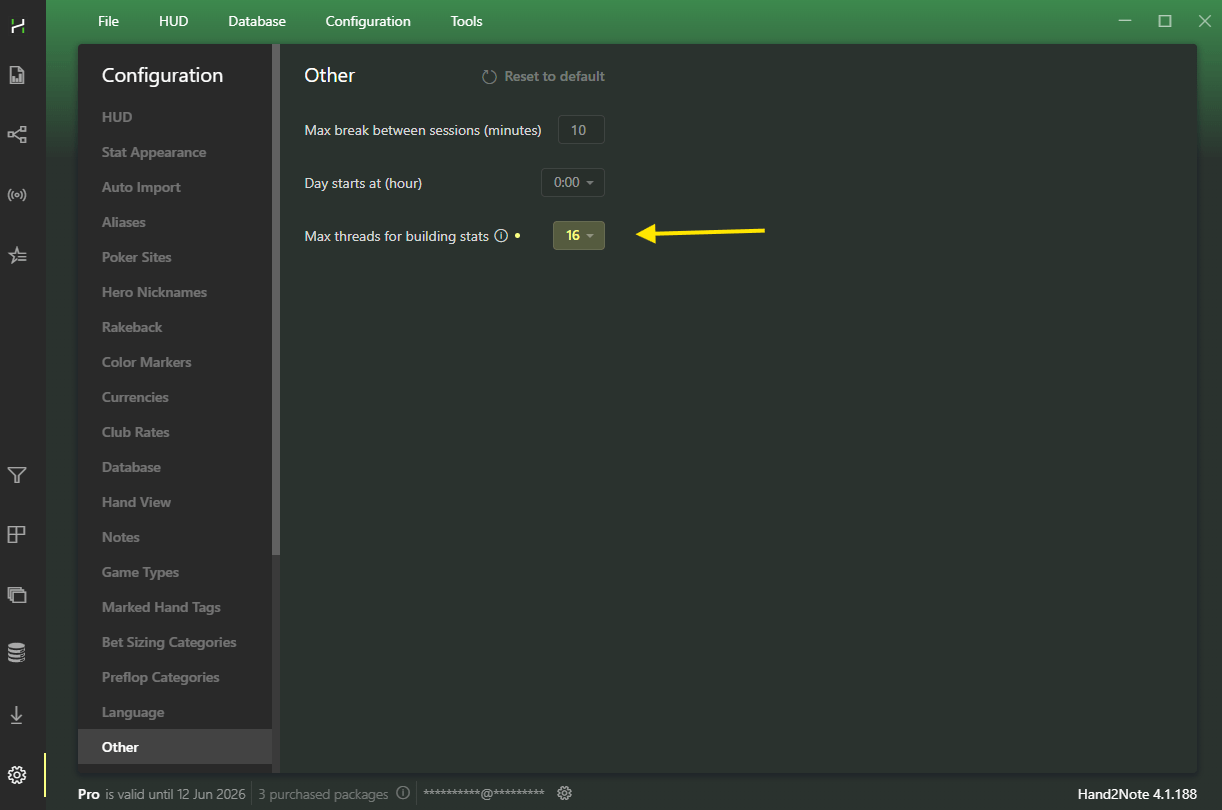
- Running Hand2Note 4.1 and multiple Google Chrome tabs at the same time can significantly slow down your system during play. Don’t open more than 2 Chrome tabs while playing, or use a different browser during sessions.
- If any changes are made in this block, you’ll need to rebuild statistics
- To improve program performance, also delete unused stats (be sure to back up the Config folder first) via Configuration > Delete Unused Stats. After that, rebuild the statistics.
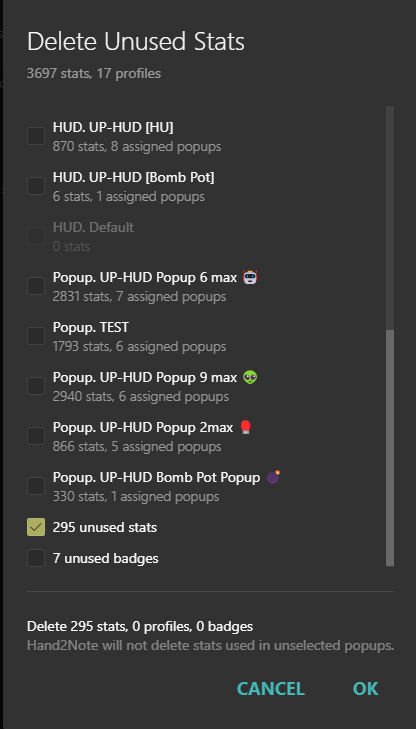
- For Hand2Note to run faster in the future and for a more compact database size on disk, you need to restart your computer before rebuilding the database. Make sure no applications are running after reboot except Hand2Note. Then start the rebuild process and avoid launching any additional programs or performing other tasks on the computer until the rebuild is complete.
UP-HUD Update for H2N
Recommended Method
To avoid duplicate stats and potential program errors, it’s recommended to delete the previous version of the package before installation using Configuration > Delete Unused Stats.
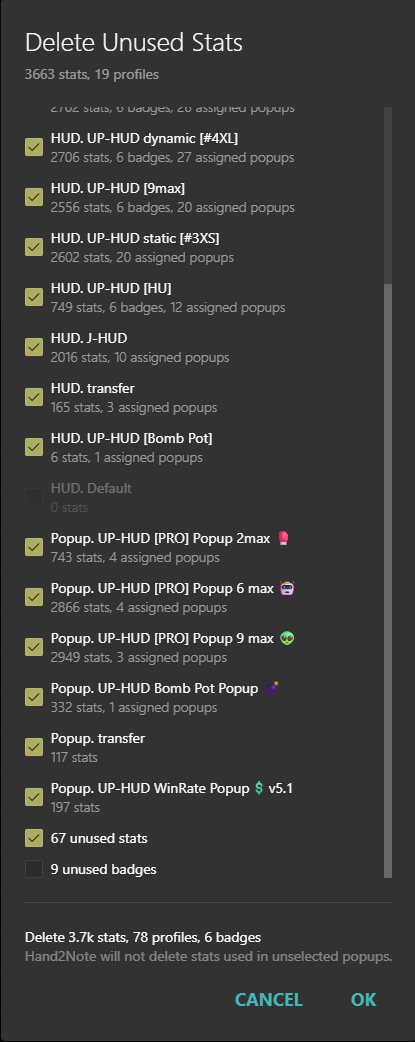
Select all stats related to UP-HUD and delete them.
Then install the fresh version following the instructions in the Package Installation section.
Quick Method
You can also install the updated file over the old one by following the steps from the Package Installation section, skipping the deletion of previous UP-HUD files. However, in rare cases, this may cause conflicts and some stats might work incorrectly due to compatibility issues.